Enable Parallel Downloading in Pacman in Arch Linux

I code.
What is Parallel Downloading?
Parallel downloading means, downloading more than 1 packages at the same time.
By default Parallel downloading is disabled in Arch Linux, so whenever you download packages using Pacman, it downloads each package one by one.
Prerequisites
- Pacman version 6.0 or higher
You can check your pacman version by running
$ pacman --version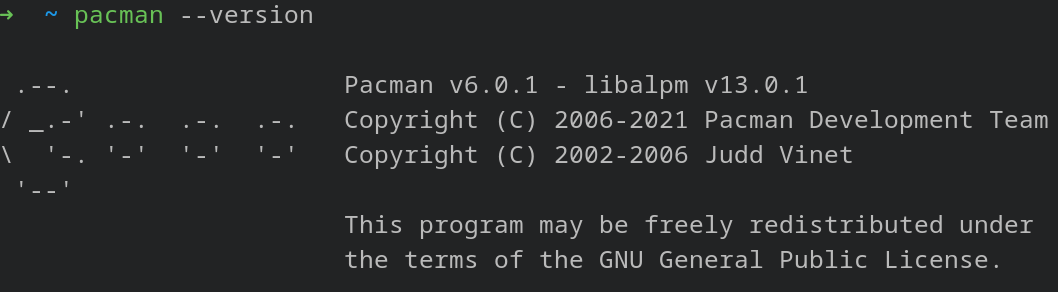
Enabling Parallel Downloading
Open your terminal and type the following commands, I will explain what each command does step by step:
/etc/pacman.confis Pacman configuration file, open it in your preferred text editor, I will be usingnanofor the sake of this guide:$ sudo nano /etc/pacman.confFind the following line and remove
#from it's start;#means a line is commented# ParallelDownloads = 5It should now look like
ParallelDownloads = 5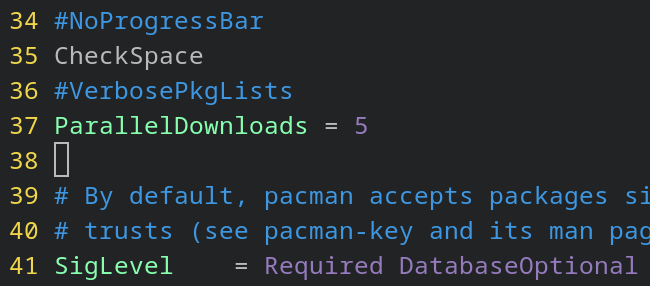 5 means that pacman should be able to download 5 packages at the same time. You can change that number depending on your preference.
Press
CTRL + Oto save the file andCTRL + Xto exit.
And that's about it.
Now when you use pacman, it will download 5 packages concurrently.